Try it without a machine
The planner and Phosphor both run in your browser. Phosphor includes Neutrino, an emulated machine. Neither needs a PCB.
Kinetic playground
The same Kinetic² planner that runs in the firmware, compiled to WebAssembly. Click the position trace to drop a knot, tune the planner options, and see what it did: the curve, its speed, acceleration and jerk against the ceilings, and every trim it had to make.
Kinetic gives bit-identical results on every target, so with the same knots and settings, the curve in your browser is the curve the machine plans.
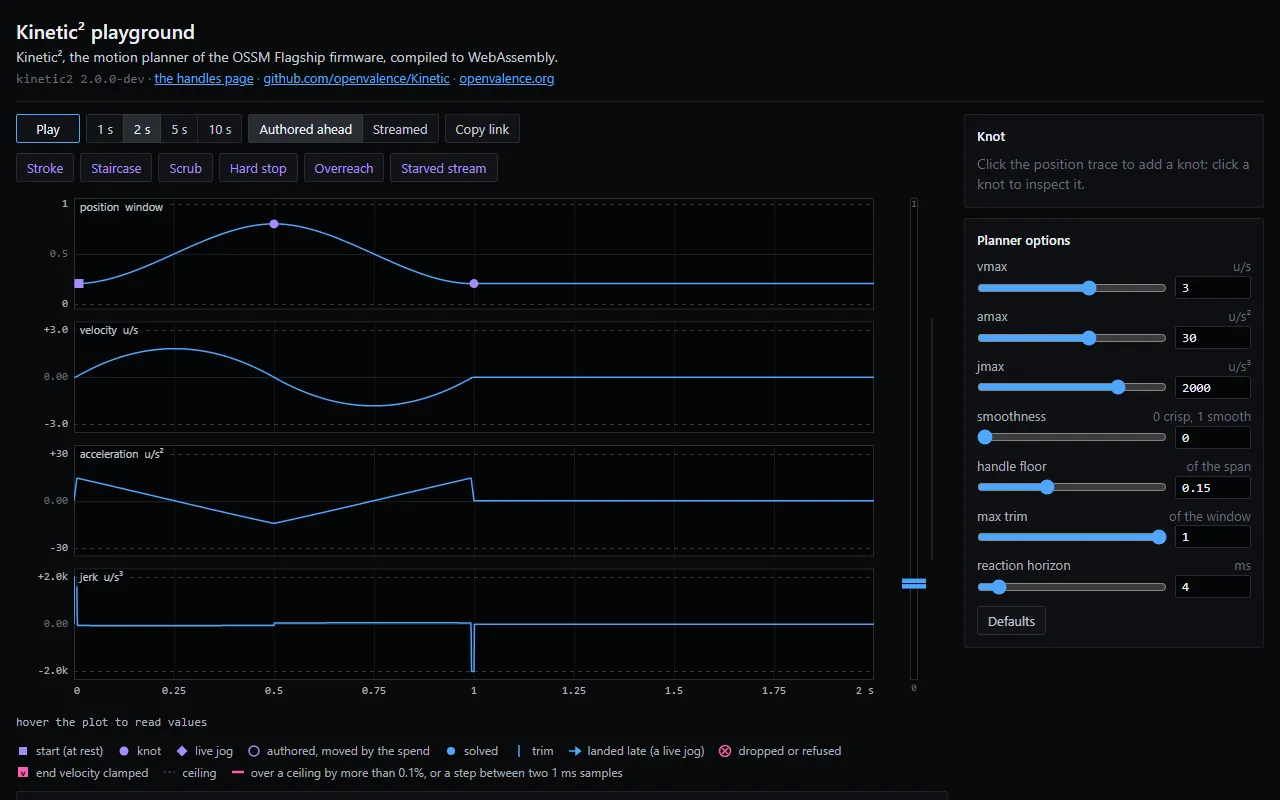
Open the playground · Open the handles editor · About Kinetic
The handles editor loads a funscript as a chain of Bézier curves. Drag a point's handles to set how fast it passes through. Bring your own .funscript or use the built-in one.
Phosphor and Neutrino
Neutrino is the machine's firmware compiled to WebAssembly, running inside Phosphor. It uses the same Valence protocol as a real machine, so the clip shows the real protocol, catalog and planner, without a motor.
It comes with Phosphor: connect to "Neutrino" in the machine list. The Neutrino page explains how it works.
Phosphor also runs in your browser at phosphor.openvalence.org, with Neutrino as its only machine. Browsers can't reach a machine on your network; for a real machine, use the app from Downloads.